Your account
Manage your sign-in details, export your data, and control access for scripts, applications, and assistants.
On this page
The account page brings together your sign-in details, your personal data export, and the connections that let trusted programs or assistants reach your budget.
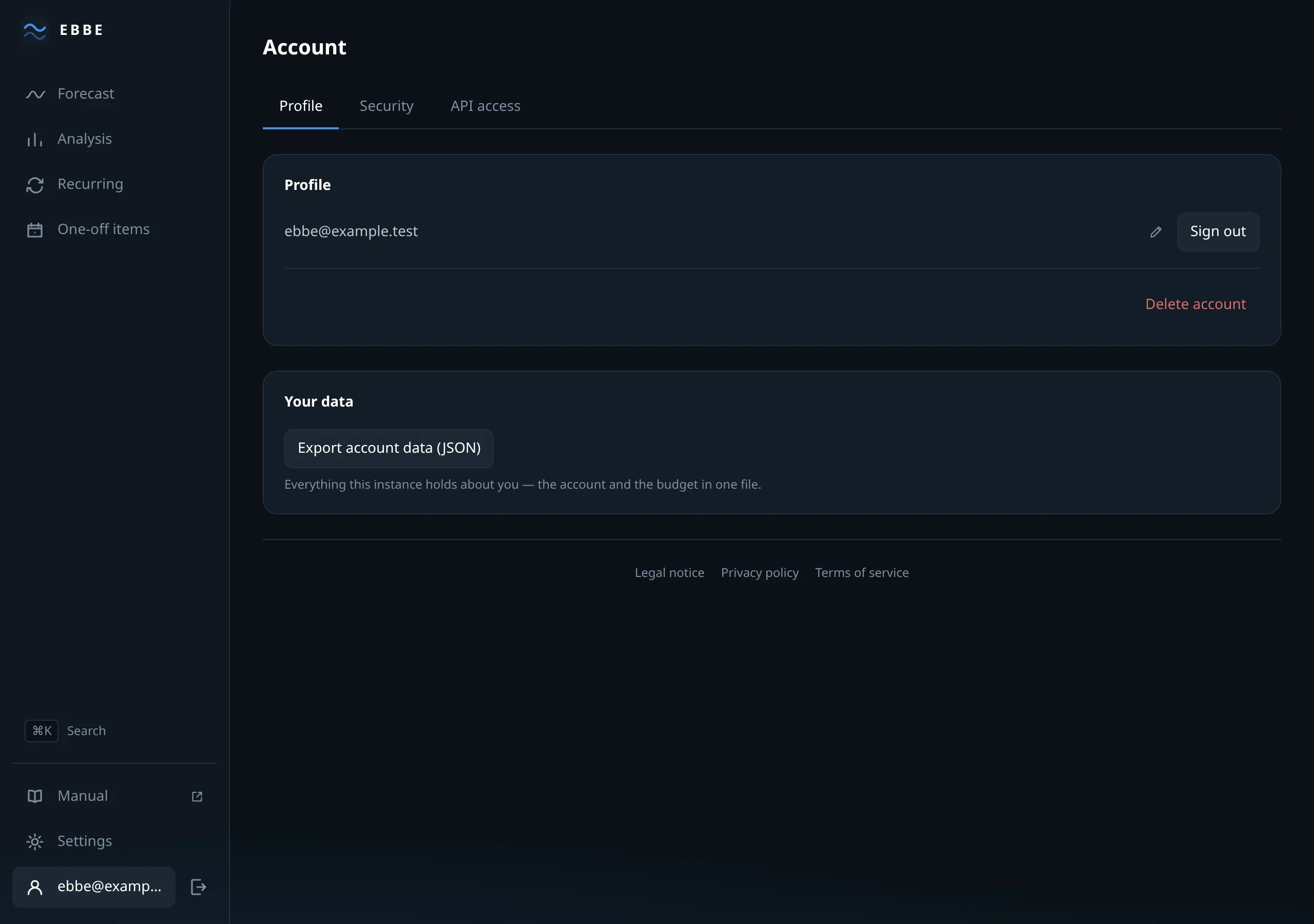
Profile
Your email address, with a pencil to change it. Changing it asks for your current password. If email is configured, Ebbe sends a confirmation link to the new address before making the change. The old address keeps working until you follow that link, so a typo cannot lock you out.
Sign out, and below a divider, Delete account.
Deleting asks for your password and then removes everything: the budget, the items, the balance readings, the sessions. There is nothing to undo it with. If you are the last administrator, Ebbe refuses and asks you to appoint somebody else first. Without an administrator, nobody could manage Ebbe.
Export all my data downloads your account and its budget as one JSON file: your address, when you signed up, your preferences, and everything in the budget. It is what Article 20 of the GDPR is about, and it does not include your password hash or your session records, because those are not your data in any useful sense.
Security
The Security tab holds both ways in, in the order signing in asks for them.
Your password, at the top. Changing it needs the current one and a new one of at least ten characters. There is no rule about symbols and capitals; length is the thing that matters. When it changes, every session ends, including the one you are using — you are signed out on purpose, because “someone else knows my password” is the usual reason for changing it.
Two-factor sign-in, below it, is where you turn a second factor on or off and see how many recovery codes you have left. With it turned on, signing in needs a changing code from an authenticator app as well as your password.
Ebbe guides you through the setup and shows ten recovery codes at the end. Save them somewhere safe before you continue; they are your way back in if you lose access to the app. The full walkthrough, including how to move to a new phone, is in Two-factor sign-in.
API access
For reaching your budget from a script, a spreadsheet or a program of your own.
Personal access tokens: give one a name, choose whether it may only read or also write, and choose when it expires. The token itself is shown once — Ebbe stores only a hash of it, so if you lose it there is no way to show it again and the answer is to revoke it and make another.
A token cannot change your password or address, delete your account, import or empty the budget, or access administration. See tokens and scopes for the full list.
Connected applications appears once something is connected through OAuth — one row per application, what it may do, when you allowed it, and a button to revoke. Revoking takes effect at once. See OAuth.
MCP
Present only when the operator has switched MCP on. It is entirely read-only: the addresses an AI assistant needs, ready to copy, and the list of tools it would be able to use.
If no public address has been configured, Ebbe shows the connection addresses as unavailable instead of guessing. The tool list still appears because MCP also works with a personal access token.
A demo account
A demo session has none of this. There is no identity to change, nothing to export, and no tokens to issue — it is an hour-long look around an invented household, and Ebbe leaves the controls out rather than showing them greyed.