Getting started
Build a useful first forecast with recurring items, one-offs, a real balance, and your personal buffer.
On this page
Ebbe helps you answer one practical question: when does money get tight? It takes the recurring income and fixed costs you already know, projects them month by month, and shows when the balance crosses the buffer you chose.
Ebbe is made for planning ahead, not for tracking day-to-day spending. You can still enter past items, and planned items remain visible after their date has passed. There is no bank import or transaction ledger; you decide which known commitments belong in the forecast.
Sign in, or look around first
Open Ebbe and create an account. You will need an email address and a password of at least ten characters, and you will be asked to accept the terms.
If you would rather look around first, choose the demo. It opens an invented household with about sixty entries — a salary, a rent that rises every July, and a gearbox repair that pushes the balance below its buffer. The session deletes itself after an hour, so nothing you enter is kept. It is a quick way to see what a complete forecast looks like before setting up your own.
A brand-new account is not quite empty. It comes with nine categories — Income, Housing, Utilities, Insurance, Mobility, Groceries, Subscriptions, Leisure, Savings — so that the first thing you enter has somewhere to go. It has no items, so the forecast greets you with an empty state and two buttons.
Enter what comes back every month
Press New recurring item. The things worth entering first are the ones you would notice if they stopped: salary, rent, electricity, insurance, subscriptions.
For each one you give a name, an amount, and a rhythm. The rhythm is either every N days or on a given day of certain months — monthly is all twelve months, quarterly is four of them, yearly is one. As you type, the box at the bottom of the form shows the next six dates it will fall on, so you can see whether you have described the right thing before you save it.
Two switches are worth knowing about straight away:
- Amount is an estimate marks a figure you are guessing at — electricity,
fuel, groceries. Ebbe still counts it in full; it just marks the months that
contain a guess with a
≈, so you know which parts of the projection are soft. See estimates. - Paused keeps an item without counting it. Useful for a subscription you have suspended, or a savings transfer you have stopped while something else is being paid off.
If a contract ends — a phone paid off in nine months, a lease that runs out — give it an end date. That is what lets Ebbe show you the month things get easier.
If the amount rises on a schedule, say so under More options. A rent that goes up four per cent every July is one field, and Ebbe will compound it correctly for as long as the projection runs. See raises.
Add the things that happen once
Press New one-off. A holiday, a repair, a new laptop, a tax refund.
Three shapes are available:
- A single payment — a date and an amount.
- Split evenly — an amount and a number of instalments, and Ebbe divides it without losing a cent. €100 over three months is 33.34, 33.33, 33.33.
- Enter each payment — for the case an even split cannot express, such as a deposit now and the balance four months later. You write the dates and amounts out, and the total follows from them.
Tell Ebbe what is actually in the account
This is the step people skip, and it is the one that makes the rest true.
Go to Settings → Balances and press New balance reading. Enter today’s date and what your account actually holds. Everything Ebbe projects is measured from this figure — without one, the projection starts from zero, which is honest but not useful.
Come back once a month and enter it again. Ebbe stores what it had predicted for that day next to what you actually had, so over a few readings you can see whether your plan runs a little ahead of reality or a little behind. See the balance anchor.
Draw the line
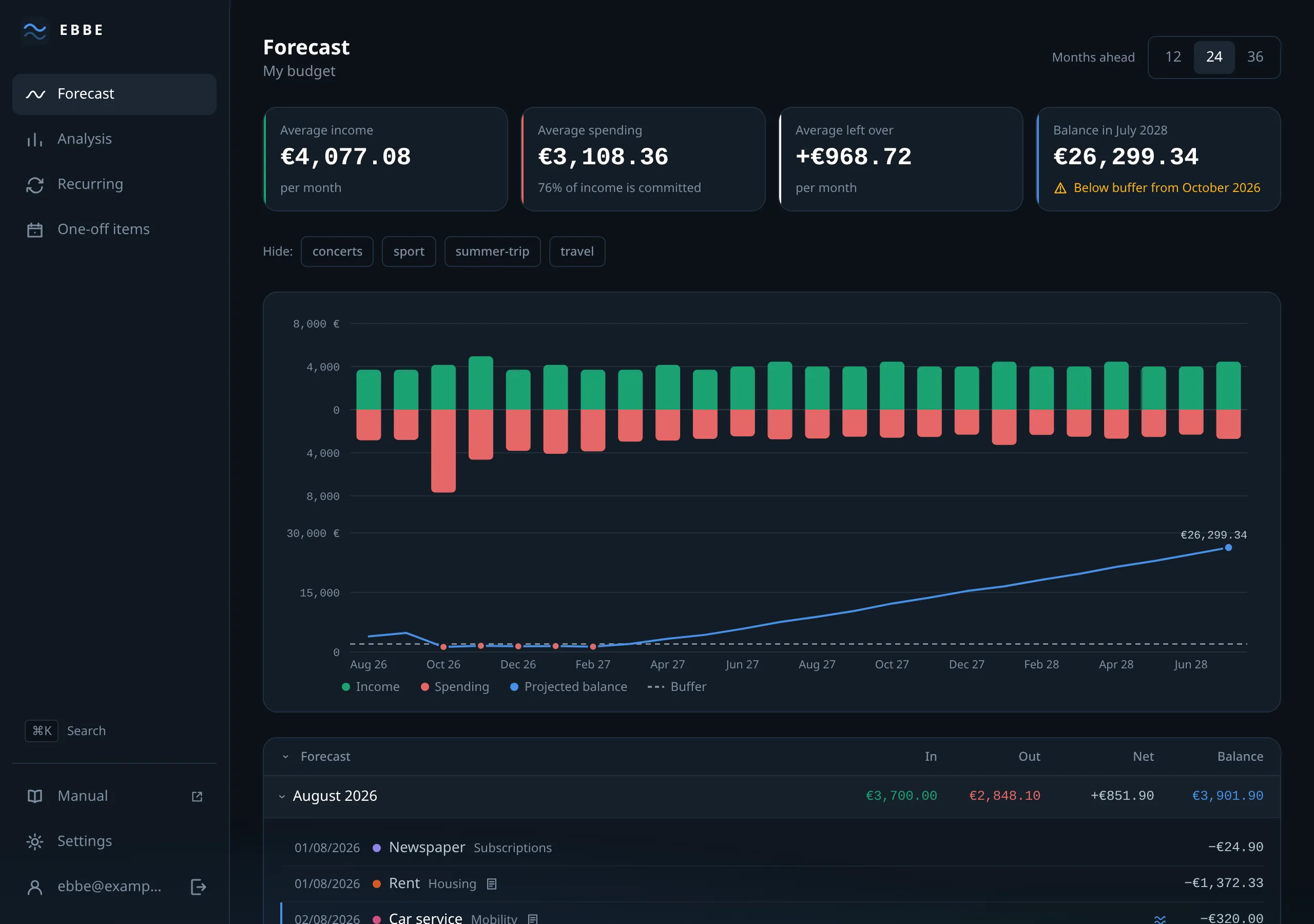
Finally, go to Settings → Budget and set your buffer — the amount you want the balance to stay above. Any month whose projected closing balance falls below it is marked, and the headline figure at the top of the forecast tells you the first month it happens.
Zero is not a buffer. Pick the number below which you would start moving things around. See what “tight” means.
What to read next
- How the forecast is worked out — what Ebbe actually does with what you entered.
- The forecast screen — how to read the chart, the four figures and the month table.
- Categories and tags — the two ways of grouping, and which question each answers.